
About this review
Who wrote this: Calvin Botez, Founder and CEO of Treegarden. I built Treegarden as a direct alternative to Workable and similar platforms, which means I have a commercial stake in this comparison. I have tried to write this as honestly as I can, but you should know that context going in. Where I make product claims, I link to the primary source.
What this covers: Workable's published plan structure, package documentation and Workable Agent pricing, reviewed on September 11, 2026. Review-platform pages can help a buyer identify questions, but their scores and review counts change, so this page does not treat them as product evidence.
What this does not cover: A negotiated Workable quote, an implementation commitment, or a promise about fit. Confirm the package, employee band, optional services and renewal terms in writing before purchase.
Quick verdict
Is Workable a good ATS in 2026?
Workable is a reasonable option for teams that want recruiting and HR capabilities in one system, broad job-board distribution and a published starting price. Its current plans are sized by employee band, while some services and AI usage can add separate cost. The buying decision is less about a generic score than whether that billing model, the included workflow and the available integrations fit your hiring plan.
- Pricing basis: employee band and billing term, not recruiter seats
- Published starting point: Standard is shown from $299/month for 1-20 employees; confirm the current plan card and term
- Core distinction: Workable lists unlimited active jobs on paid plans, subject to fair-use limits
- Variable cost: optional services and Workable Agent credits can change the total
Workable in 2026: what the platform actually is
Workable markets a recruiting platform for teams that want job distribution, applicant management, interview workflows and reporting in one product. This review focuses on the evidence a buyer can validate: the published plan structure, package documentation, Workable Agent credit model and the workflow a team needs to run.
The most useful comparison starts with a current role. Ask each vendor to show the candidate journey, interviewer handoffs, hiring-manager approvals, reporting output and integrations that matter to your team. A feature list cannot establish whether those steps work in the way your organization needs.
Workable's public pricing and product pages are the source for the statements in this guide. They can change, so treat them as a starting point for diligence rather than as a substitute for a current proposal or implementation plan.
Features: what Workable actually delivers
Job posting and board distribution
Workable markets broad job distribution and a hosted careers-page workflow. Ask it to demonstrate the boards, application path and candidate experience for one current role, because availability and behavior can vary by account, role and location.
AI sourcing: the 400 million profile database
Workable says its AI sourcing can search more than 400 million public profiles on its AI product page. Treat that number as a vendor-reported pool size, not a guarantee of reachability or fit. Run a representative role during a demo and inspect the sourcing criteria, results, contact permissions and recruiter controls.
Workable Agent: the March 2026 agentic AI launch
Workable Agent is a paid AI capability with usage-based credits. Workable's current pricing page says every paid account starts with 3,000 free credits. It lists one credit for an evaluation, two for sourcing a candidate and ten for a candidate chat; additional bundles are priced separately. The product configuration, hiring process and data-handling expectations should be reviewed during a demo before the agent is used in a live workflow.
For a buyer, the useful test is practical: ask Workable to show the exact action that consumes credits, the controls available to a recruiter, the data used by that action, and how a team can audit or reverse a result. Treat vendor performance examples as vendor examples rather than as a universal outcome.
Pipeline management
Ask Workable to run a candidate through the exact stages, approvals, interview scheduling and notifications your team uses. Confirm which actions are available in the package you are evaluating and which workflows require an integration, manual step or different configuration.
Interview scheduling
Use a live demonstration to test calendar availability, interviewer coordination, candidate communication and video-meeting handoff with the accounts your team actually uses. These details can be configuration- and integration-dependent.
Assessments
Workable includes built-in assessments for cognitive ability, personality, and abstract reasoning. These are pre-built tests, not fully customizable instruments. For role-specific technical screening, Workable integrates with HackerRank, Codility, TestGorilla, and Criteria Corp through its partner marketplace. The built-in tests cover the use case for teams that need a standard first-pass screen and want to avoid a separate vendor contract.
Reporting and analytics
Bring one monthly recruiting report and one leadership report to a demo. Ask Workable to build them with the necessary fields, filters, permissions and exports in the package you are evaluating. This is more reliable than assuming that a report listed on a plan page answers your reporting needs.
Integrations
Workable maintains a partner directory covering a range of HR, assessment, background-check and communication products. Check the current listing, ownership, data fields, sync direction and support responsibility for every integration that is essential to your hiring process.
Mobile app
If hiring managers will work from mobile devices, have them perform their own candidate-review, note and scheduling tasks before selecting a platform. A vendor demo should use the device and workflow they will use after rollout.
How to evaluate Workable in a demo
A numeric score gives more certainty than this kind of buying decision deserves. Use the same test cases for every vendor: a current job, a real candidate workflow, the reports your leadership needs, and the cost at your expected employee band.
| Decision area | What to ask Workable to show | Why it matters |
|---|---|---|
| Job distribution | Show the job boards, application path and candidate experience for one current role. | Board availability and the application flow can vary by role, location and account setup. |
| Workflow | Run a candidate through the stages, handoffs, interview scheduling and approvals your team actually uses. | Feature lists cannot confirm whether the workflow removes or adds coordination work. |
| Reporting | Build the exact recruiting, source and hiring-manager report you will review each month. | Confirm required fields, exports and permissions in the package you are evaluating. |
| AI usage | Show the credit consumption, human controls and audit trail for each agent action. | Usage costs and governance matter more than an AI label. |
| Commercial terms | Request a written first-year total at your current and expected renewal employee band. | That total should separate the subscription, optional services, credits and renewal assumptions. |
Use independent review sites to discover possible implementation questions, then confirm the answers in the vendor's product and contract materials. A review score is not a substitute for a fit test.
Pricing: what you actually pay
Workable's pricing model has a characteristic that sets it apart from most ATS competitors: it charges by total company employee headcount, not by recruiter seat or active job count. Every employee in your company contributes to your plan tier, not just those who use the platform.
As of September 11, 2026, Workable's public pricing page shows Standard from $299/month, Premier from $599/month and Enterprise from $719/month for the 1-20 employee band. The page presents employee-band selections and billing choices; confirm the amount shown for your company size and contract term when you evaluate it.
| Plan | Published starting point (1-20 employees) | What to confirm |
|---|---|---|
| Standard | From $299 / month | Employee band, billing term and any optional Texting+, Video Interviews+ or Assessments+ services. |
| Premier | From $599 / month | Employee band, billing term, included services and any Workable Agent credit use beyond the initial allocation. |
| Enterprise | From $719 / month | Employee band, billing term, advanced services and the written support or implementation scope. |
Source: Workable pricing and Workable plan and billing help, verified September 11, 2026. Workable can change pricing and packages, so use its current written proposal for a purchase decision.
Optional services on Standard
Workable's public plan cards list Texting+, Video Interviews+ and Assessments+ as optional services on Standard. Their need depends on the hiring workflow, so do not assume the entry price represents the total for your team. Ask for the current monthly and annual price of every service you expect to use.
Employee-band growth
Workable presents pricing by employee band. Ask when the headcount is measured, whether a change is applied immediately or at renewal, and how a temporary hiring spike is treated. Get the answer in the order form rather than relying on a generic cost estimate.
Workable Agent credits
Workable says every paid account receives 3,000 free Agent credits. Its published usage rates are one credit for an evaluation, two for sourcing a candidate and ten for a candidate chat. Additional bundles are published separately, and credits expire one year after purchase. Teams considering high-volume agent use should forecast their own actions, not just their candidate volume.
Renewal questions
Workable's terms say fees can change for a renewal term according to its then-current price list. Ask the sales team to state the renewal basis, employee-band treatment and notice period in writing before signing.
What Workable genuinely does well
Workable is worth a closer look when its published employee-band model, job distribution, workflow and available integrations match the team you are buying for. The practical advantage of public plan cards is that a buyer can start the commercial discussion with a visible baseline rather than an entirely opaque quote.
- Published starting points. The pricing page gives a visible starting point for the selected employee band.
- Broad candidate workflow. Ask the team to show the end-to-end workflow for a current job, rather than comparing feature labels.
- Partner ecosystem. The public directory provides a starting point for checking required integrations.
Where Workable falls short
The public plan card cannot answer every commercial or implementation question. Treat the following as buyer diligence rather than as presumed product gaps:
- Total cost. Confirm your employee band, billing term, optional services, Agent credit consumption and renewal basis in writing.
- Workflow fit. Test real approvals, interviewer handoffs, exceptions and reporting requirements in a live configuration.
- Integration responsibility. Establish the data fields, sync direction, support owner and error-handling process for each critical integration.
- Implementation scope. Agree the migration, configuration, training and cutover responsibilities before committing to a timeline.
Questions to take into a Workable evaluation
Independent reviews can help a buyer discover questions, but scores and individual experiences are not durable product evidence. Use them as prompts, then have Workable answer the question in a current demonstration, product document or contract.
Commercial questions
What is the first-year total at the current and expected renewal employee band? Which services are optional? How are Workable Agent credits allocated, bought and renewed? What can change at renewal?
Operational questions
Can the team run a live candidate through its actual interview, approval, reporting and integration workflow? Who owns migration, training and ongoing support when an issue crosses systems?
Who Workable is right for, and who it is not
When it may be worth a demo
- Teams whose expected employee band and billing term fit the current public pricing model.
- Hiring teams that can validate their required job distribution, candidate workflow, reporting and integrations in a live demonstration.
- Buyers prepared to compare the written first-year and renewal costs, not only a published starting price.
When to evaluate the detail more deeply
- Teams with complex approval, reporting, data-retention or integration requirements.
- Organizations that must meet a specific security, privacy or sector requirement.
- Buyers who expect hiring volume, employee band or required services to change during the contract term.
How to compare Workable with alternatives
Compare commercial evidence and a representative workflow rather than a generic feature score. Public price cards and quote-only pages can change, so ask every vendor to confirm the same questions in writing.
| Decision area | Workable | Greenhouse | Lever | Treegarden |
|---|---|---|---|---|
| Published commercial model | Employee band and billing choice | Quote request | Custom quote | Active-job capacity and annual commitment |
| First-year total to request | Subscription, optional services and Agent credits | Subscription, implementation and integrations | Core platform, add-ons and implementation | ATS capacity, optional HR module and implementation scope |
| Workflow proof to test | Current job, hiring-manager handoffs and reports | Migration, structured hiring and integrations | Candidate relationship workflow and reporting | Active-job workflow, permissions and handoff to HR |
| Renewal question | Employee-band treatment and notice period | Scope and renewal basis | Scope and add-on treatment | Active-job capacity and HR employee band |
Sources: Workable pricing, Greenhouse pricing, Lever pricing and Treegarden pricing, checked September 11, 2026.
Treegarden as an alternative to Workable
Treegarden publishes its ATS pricing around active-job capacity rather than recruiter seats, with unlimited user accounts. Its startup plan supports up to 10 active jobs; the HR module is optional and separately employee-based. Treegarden has an annual commitment model with monthly instalments available. That is a commercial model, not evidence that it is automatically a better fit.
Treegarden has a commercial interest in this comparison. Use the Treegarden versus Workable comparison to see the product-specific questions we invite buyers to test, then compare both vendors with the same current role, requirements and written terms.
Small teams can also review how Treegarden's ATS pricing scales for small businesses before deciding whether active-job capacity or an employee-band model better fits their expected hiring plan.
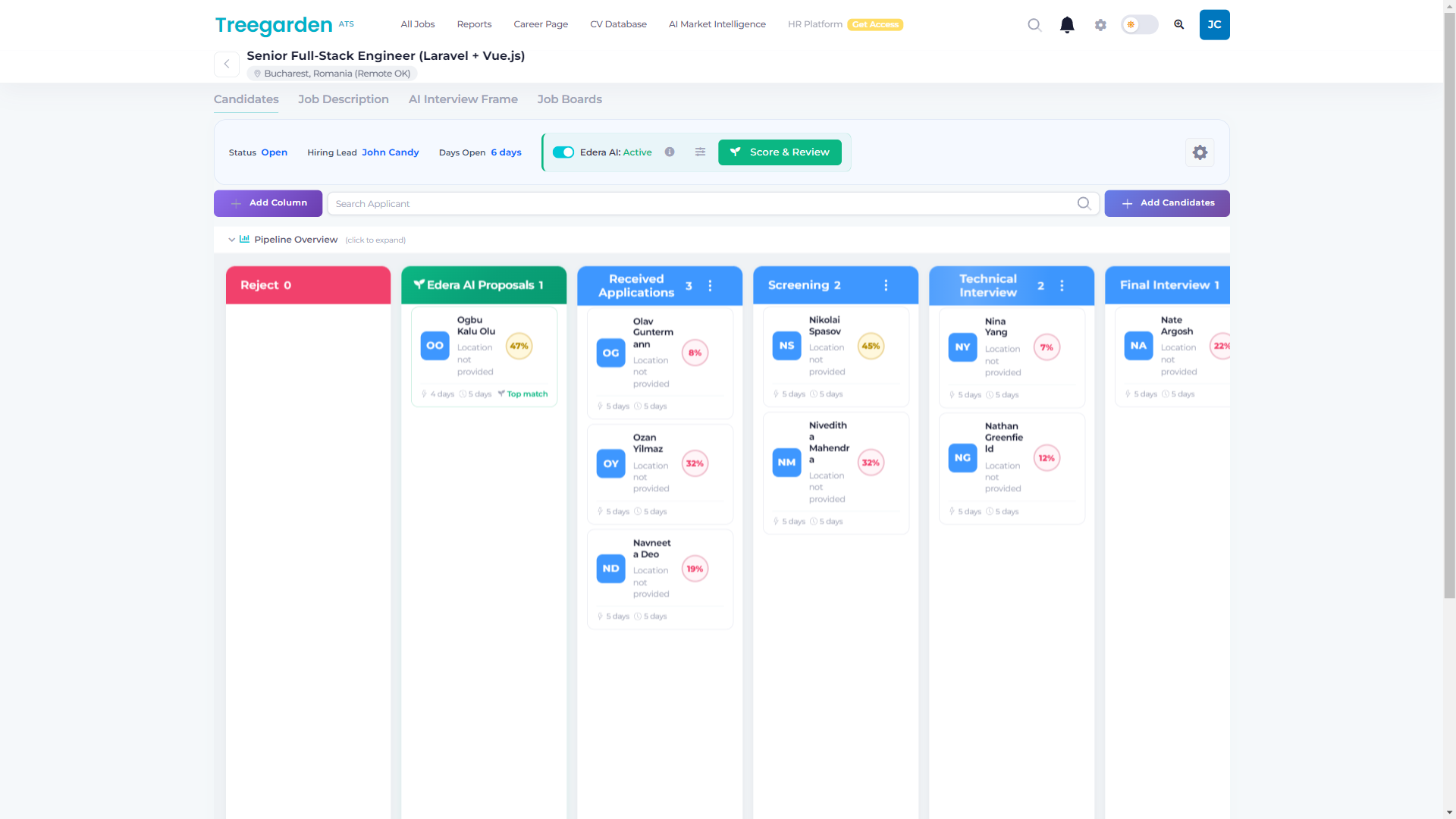
Evaluating Workable and want a direct comparison?
Book a demo to compare Treegarden's active-job pricing and workflow with the requirements and commercial terms you collected from Workable.
Book a demoGetting started with Workable: what to expect
Do not accept a generic implementation timeline. The real scope depends on the data you are moving, role and permission setup, workflow design, integration testing, training and cutover plan. Ask Workable to document who owns each task and what is included in the commercial proposal.
About the author
Calvin Botez is the Founder and CEO of Treegarden, an applicant tracking system built for small and mid-sized hiring teams. He has spent the past several years evaluating ATS platforms across the SMB and mid-market segments, building Treegarden as a direct response to the pricing structures and workflow limitations he observed in tools like Workable. He writes about hiring operations, ATS economics, and recruiting technology. You can reach him at [email protected].
Related buyer guides and comparison tools
Frequently asked questions
Is Workable a good ATS in 2026?
Workable can suit teams that want broad job distribution, a recruiting workflow and a published starting price. Its paid plans are priced by employee band, with optional services and Workable Agent usage that can affect the total. Test the workflow, reporting, integrations and written commercial terms against your own hiring plan rather than relying on a generic score.
How much does Workable cost in 2026?
On September 11, 2026, Workable showed Standard from $299 per month, Premier from $599 per month and Enterprise from $719 per month for the 1-20 employee band. Workable presents pricing by employee band and billing choice. Confirm your band, optional services, Agent credits, renewal basis and first-year total in a written proposal before purchase.
What are the most common complaints about Workable?
The most useful questions to test are whether the reporting output, workflow, integration behavior and commercial terms meet your requirements. Ask the vendor to demonstrate those scenarios with a current role and identify which services, credits and support terms apply to your account.
What did Workable launch in 2026?
Workable's current pricing page describes Workable Agent as a paid capability with usage-based credits. Every paid account starts with 3,000 free credits; Workable lists one credit for an evaluation, two for sourcing a candidate and ten for a candidate chat. Confirm the current product scope, credit terms and human controls during a demo.
Who should NOT use Workable?
Do not shortlist Workable on the basis of a price card alone. Teams with complex workflow, reporting, compliance or integration requirements should validate those requirements in a live demonstration and a written proposal, then compare that evidence with the alternatives they are considering.