
Download the employee onboarding checklist
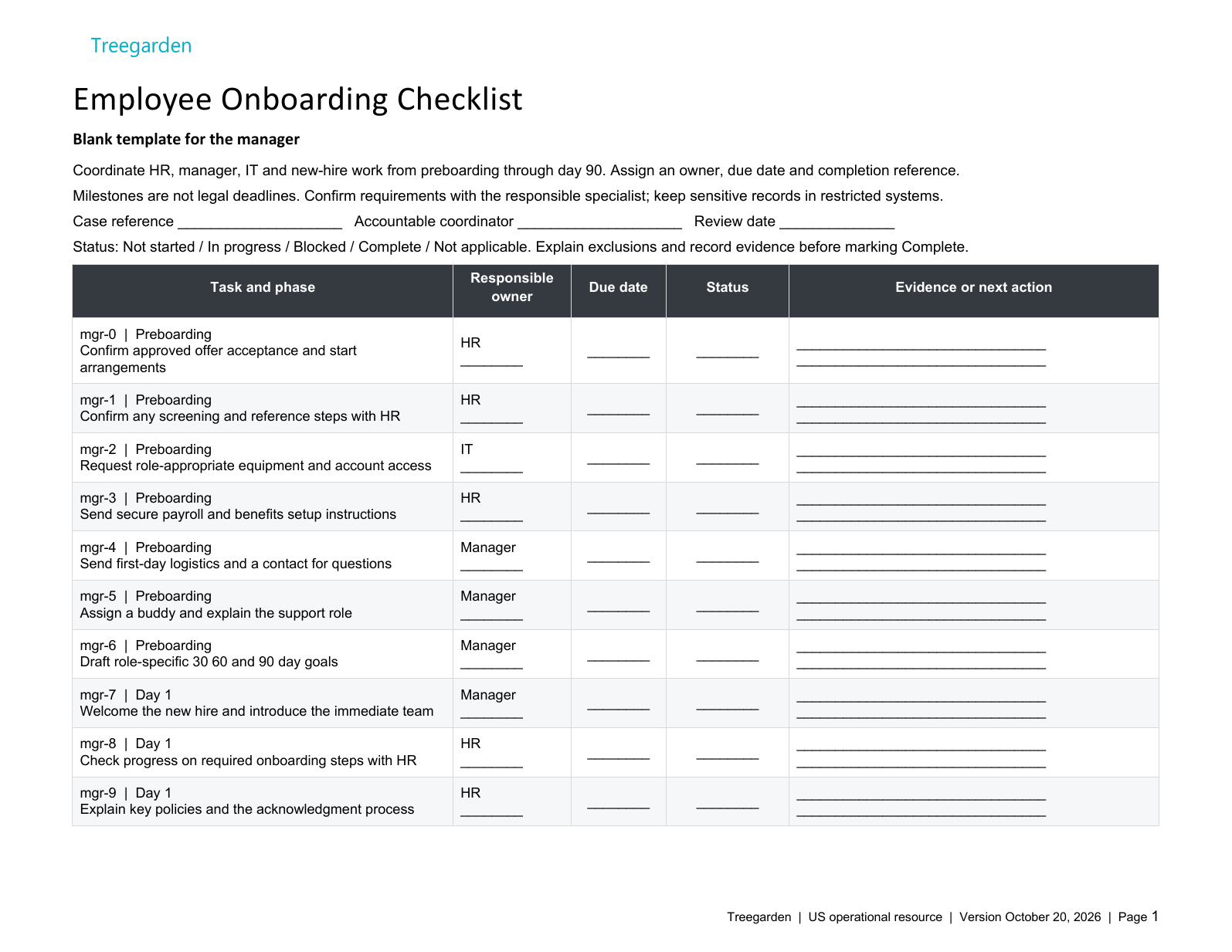
The Word checklist and Excel tracker cover preparation, Day 1, Week 1 and 30/60/90-day reviews. Each includes a blank working template and a clearly labeled fictional example. No email address or account is required.
The tracker records an ID, audience, phase, task, responsible owner, due date, status and evidence or next action. Its progress summary counts completed tasks with supporting fields filled in, not verified legal compliance. The browser checklist below is a simpler personal check-off list.
Manager onboarding checklist
Pre-Boarding — Before Day 1
7 itemsDay 1 — Welcome & Orientation
5 itemsWeek 1 — Learning & Context
4 itemsMonth 1 — Day 30 Milestone
5 itemsMonth 2 — Day 60 Milestone
5 itemsMonth 3 — Day 90 Completion
4 itemsNew-hire onboarding checklist
Pre-Boarding — Before Day 1
4 itemsDay 1 — Settle In
5 itemsWeek 1 — Learn the Landscape
5 itemsMonth 1 — Start Contributing
6 itemsMonth 2 — Build Momentum
5 itemsMonth 3 — Own Your Role
5 itemsUS paperwork and timing: assign a qualified owner
The 30/60/90-day schedule is a planning example, not a legal timetable. HR or payroll should confirm applicable federal, state and local requirements, benefit deadlines, role-specific training and company policies. These templates are operational resources, not legal advice or substitutes for official forms.
- Employment verification: the IRS hiring-employees guidance links to the official Form I-9. Have HR confirm the current employee and employer steps, acceptable documents and timing. Do not delay required verification until a 30-day review.
- Withholding: route new-hire tax information through payroll using IRS Form W-4 guidance. This checklist does not calculate withholding or replace the form.
- Background screening: if a reporting company is used, follow the applicable disclosure, authorization and adverse-action process described by the FTC and EEOC. There is no universal five-day completion promise.
Fictional example: a new operations coordinator
A manager assigns IT to prepare approved access before the agreed start, schedules a first-week handover and defines an initial reporting task. At the 30-day review, a missing system permission is recorded as a blocker with an owner and follow-up date. The 60-day goal is adjusted rather than treating elapsed time as proof of readiness.
For the broader process, read our employee onboarding planning guide. For employee records and the handoff from recruiting, explore Treegarden onboarding and HR software for small businesses.
Employee onboarding checklist questions
What is a 30-60-90 day onboarding plan?
It is a working plan for a new employee's first three months: learn the role, practice with support, then review progress and agree next steps. The milestones are planning suggestions, not statutory deadlines or guarantees of performance. Adapt them to the role and the employee's needs.
What should be included in pre-boarding?
Confirm the accepted offer and start details, assign an HR contact and manager, prepare equipment and approved access, and explain how to complete required forms securely. Schedule any applicable screening or employment-verification steps under the relevant rules rather than assuming a fixed turnaround.
How is the manager checklist different from the new hire checklist?
The manager checklist covers preparation, ownership, access and progress reviews. The new-hire checklist covers questions, learning, introductions and agreed work. Use the same milestones, but assign administrative and legal decisions to the appropriate HR or payroll specialist.
Do the downloads connect to Treegarden?
No. These are standalone Word and Excel templates, not a Treegarden integration or import. This page saves checklist selections in your browser only. For a shared employee workflow, review Treegarden's HR module and confirm the configuration during a demo.
Review the employee workflow with your team
Bring your onboarding checklist to a Treegarden HR demo. Review employee records, task ownership and the recruiting-to-HR handoff against your actual process. The HR module is available separately from ATS; confirm the required configuration and pricing.